Showing posts with label editing. Show all posts

Wednesday, September 5, 2018

Prototyping in Paper

As you might notice from my most recent posts, I'm on a bit of a roll working on Jewish designs for Cricut and other electronic cutters. I tend to focus more on Jewish themes around the major holidays, as well as in response to an overabundance of nominally-Christian-themed arts and crafts.

Before I commit T-shirts to the designs I'm creating in my Design Space portfolio, I need to test size and proportions to see if the concepts in my mind will work.

Because it's relatively cheap, cardstock is my go-to prototyping medium. Cutting paper gives me a good idea of how long a design would take to produce, whether my design is too complex for the medium, whether the size I have in mind is appropriate, and whether or not it will scale up and down.

My first prototype of "David Ben Avraham/Bar Mitzvah" went a bit awry. I like to prototype lettering layers by setting them to "write" loading a fine point Cricut marker into the "A" tool side rather than cutting and having to worry about all sorts of little cut-out letter shapes floating around. I used 12" x 12" paper and the oldest of my light grip mats. Unfortunately, the "grip" has worn off and the mat didn't load correctly. I cancelled the cut halfway into the write. Then, for whatever reason, I reloaded the project on the same mat (and reusing the same paper), but with the letters set to cut out instead of print. Pieces of cut-out letters went skittering around the mat, getting stuck on the point of the knife, and doing all sorts of nasty stuff. That said, I learned some really important lessons.
  1. My original design concept has too much information on it to be legible at ten feet, regardless of whether I print it at 10" (normal women's T-shirt design width) or 12" (full width of the cutting path and of heat transfer vinyl).
  2. Even with basic cleaning up, the hand-sketched design had enough irregularities that it took the Cricut an extremely long time to run through what should have been very basic cuts.
  3. A distinct "edge" around the sides of all the pieces and edges in the project would have been very difficult to weed and to register properly.
So I spent several hours tracing over my design with Illustrator's "arc" tool and "direct selection" tool, translating my pencil and marker strokes into vector paths and Bézier curves, and eventually into shapes that would take color (so I know they are complete paths, and so I can separate them and organize them by color and layer in Design Space). Unfortunately, two of my complete paths refused to take a color fill. Sigh. Once that was done, I imported the .svg file into Design Space.

After organizing my layers, I ran a test cut in paper:


While the separated disks and sides of the scroll ends are nice in theory, I forgot to duplicate, slice, and dice the top handles, so there are two paper pieces where there should only have been one.

I fixed up the handles and set the three scroll surfaces to two different shades of brown.


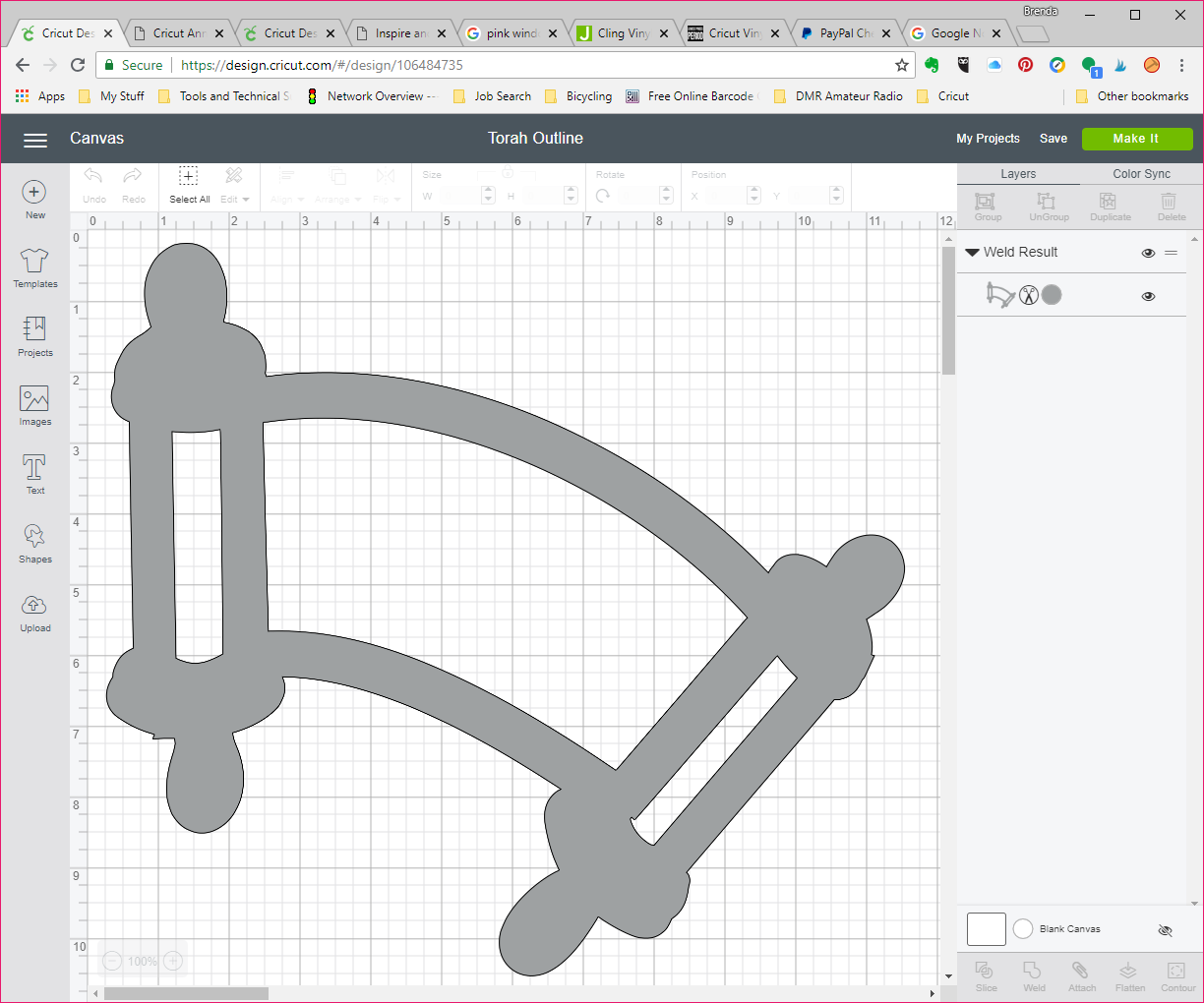
A second, flatter version, welds those pieces into a single piece suitable for iron-on, though in a more cartoonish fashion. I would have loved to have been able to weld the open text and scrolls into a single piece for that version, but every time I tried, the refuses-to-fill center portion caused the entire shape to disappear. I left the text out of this one; it's just the template.


Another method I tried is a bit more stylized, using thick lines instead of different colors of heat-transfer vinyl. This style would be nicely visible, but leaves very little room for lettering.

I'm currently working on a T-shirt design for a sandek, the equivalent of an infant boy's godfather. I'll gather a few basic designs into a portfolio to prove I can create them, and customize from there as needed.

Thursday, August 16, 2018

Post Proofing Project Errors?

Just because #IWorkAtMichaels doesn't mean I have input to any of the projects you'll find on our website. While I do get advance access to our classroom projects, the instructions are already done and dusted by the time we get them.

That said, large companies such as Michaels and Wilton still move at the speed of print.

By that, I mean that product and project development cycles can run on the order of months or years, between identifying trends and their "stickiness" (projected life cycles), product design, prototyping, manufacturing tool-ups, packaging, marketing, and distribution. (When I was a teenaged member of the Girl Scouts' American Girl magazine's Editorial Advisory Board, we learned that the content of each issue was planned a year in advance, giving the editors time to line up experts, writers, and photographers, go through several rounds of copyediting and layout editing, getting the photography and graphics correct, and adding in reader contributions to fill the space to create the glossy magazine we looked forward to receiving in our mailboxes each month. View some of those vintage covers here.)

While electronic tools have sped up the writing and proofreading process to the point where many bloggers can post something daily, collaborative efforts that require research, beta testing, and/or technical copyediting still take time — and if you're publishing thousands of new pages (or updates) daily, some errors are bound to slip through.

When it comes to our in-store classes, I'll pre-read the Leader's Guide, figure if something's wrong or missing, and correct — even on-the-fly if we're missing one or more supplies, if a student wants to customize a project, or if an instruction step is missing. This is one of my strengths as an instructor.

Projects that originate on the website are another story. We only see them if we click through to the project. Today's email linked to a project whose supply list missed one of the necessary tools. I ended up using the customer service chat option to get the error submitted for correction.

All of us want our readers, students, and customers to be successful replicating the projects we post, and personalizing them for their own tastes and needs. The beauty of electronic publication means we can accept comments and error messages, and we can post-edit published pages to improve our users' success rates.